 Sozou
Finances
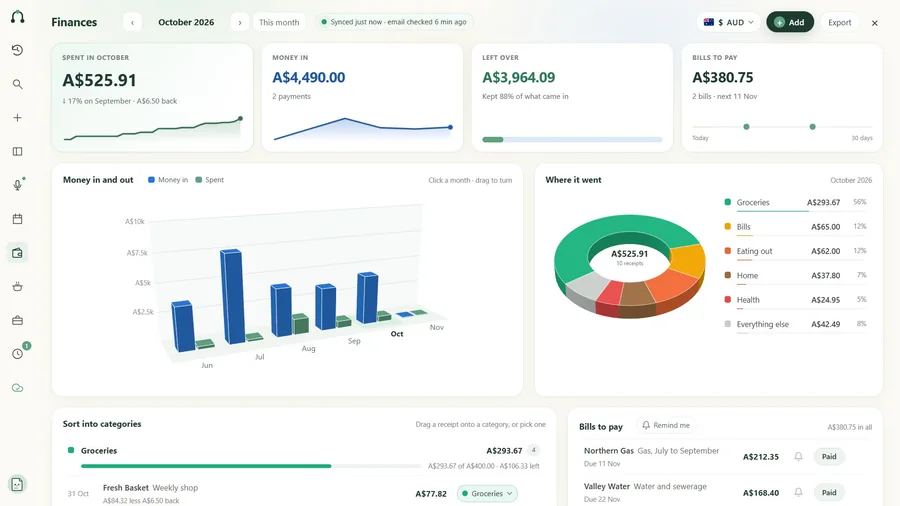
Receipts and bills from your email turn into a clear picture: what you spent, what is due and how your budgets are going. Import bank statements as CSV, OFX, QIF or PDF.
AppsNotaito
Write anything as it comes to mind. Notaito reads each note and puts it under the right project and heading, so your notebook stays tidy without you sorting it.
Free to start; Plus from A$7.99 a month. Works in any modern browser, and on iPhone, iPad and Android from the Home Screen.
Type or say a note, and it goes under the right project and heading by itself. This is how a busy morning gets sorted.
New notesFiling
Health
Shopping
To do
Ideas
Bookings
Places to eat
New in Notaito
Your notes now have rooms of their own for money, mail, meals, meetings, classes, books and files.
Receipts and bills from your email turn into a clear picture: what you spent, what is due and how your budgets are going. Import bank statements as CSV, OFX, QIF or PDF.
Connect Outlook in one click, or Gmail, iCloud, Yahoo and others with an app password, or forward emails to your own Notaito address. Appointments, bills, receipts and deliveries sort themselves.
Your pantry, recipes, meal plan and shopping list. Grocery order emails fill the pantry, and a recipe from a link or a video is saved in one step.
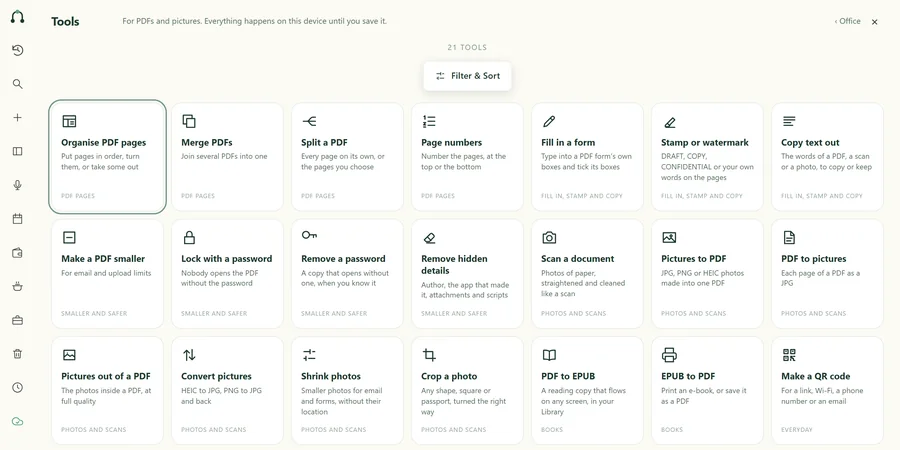
Any note that names a day lands on your calendar, with reminders that can repeat every week or month.
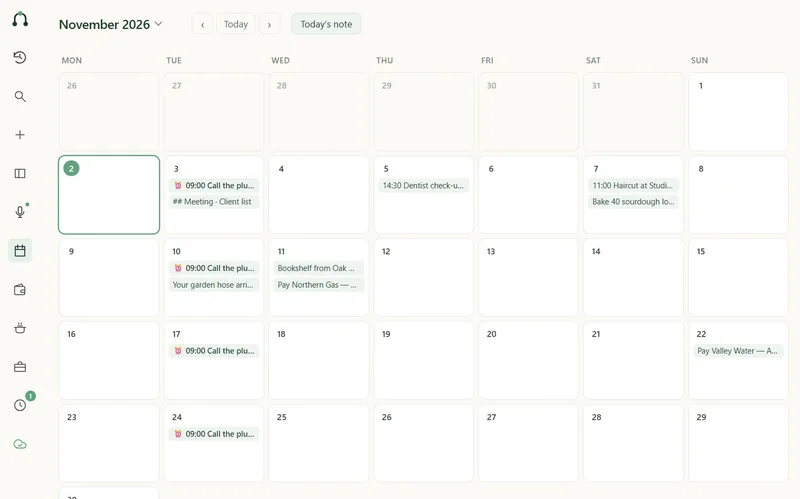
Record a meeting or import a file. Get the summary, the decisions and what is still to do, then ask questions across all your past meetings.
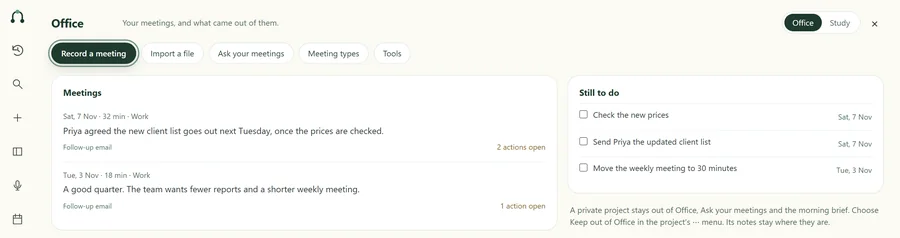
21 tools for PDFs and photos that work on your device: merge and split PDFs, fill in forms, make a PDF smaller, scan a document, convert HEIC photos and more.
Each class is a project. Record a lecture and get a tidy write-up.
Shelves for your PDFs and e-books, a reader, and PDF to EPUB.
Voice
Give your note agent a name and a voice. Say a note out loud and it is written down and filed. Ask a question, like when your next appointment is or how your budget looks, and the answer comes back out loud from your own notes.
New: Lock Finances and Email in
Choose whether Finances and Email in stay open or locked. When they are locked, each email, receipt and bank line is encrypted as it arrives, so only your devices can open it. Not even Notaito can read it.
Unlock with your passphrase, or with Face ID, Touch ID or Windows Hello. It locks again by itself after 15 minutes without use.
To file an email or a bank line, Notaito and its AI service read it once in memory, and only the locked copy is kept.
With AI sorting on, each new note goes under the right project and heading. You can always move it yourself.
Search every word, even inside PDFs. With AI sorting on, the text in photos, screenshots and handwriting is found too.
Set a reminder on any note, once or repeating. It arrives as a notification on your phone or computer.
Share one project by email or a link, to view or to edit. Keep any note to yourself, leave comments, and see who changed what.
Each note keeps its earlier versions for 90 days. If two devices change the same note, both versions are kept.
Keep writing without a connection. Your notes are saved as soon as you are back online.
Lock a private note with a passphrase. It is encrypted on your device before it is saved.
Speak a note, draw with a stylus or a finger, attach PDFs and pictures, and start from templates.
Claude, Codex and other AI apps can add notes and keep you posted on their tasks. They read your notes only if you allow it.
See notes beside your projects, in columns, or one project at a time, and drag anything anywhere.
Anything you delete waits in the bin until you empty it, so you can bring it back.
Use Notaito in your own language, from Arabic and Cantonese to Hindi and Vietnamese.
Notaito and Kiki come in 22 languages.
A$0
A$7.99 a month
or A$79.99 a year, 17% less
A$11.99 a month
or A$119.99 a year, 17% less
Prices in other currencies are an estimate at the latest exchange rate. You are billed in US dollars (Australian dollars in Australia).
All plans: unlimited notes, projects and devices, Finances, Email in, Kitchen, Office, Study, Library and Tools, sharing with edit links, asking Claude or Codex to search your notes, search, reminders, the calendar, version history, locked notes and export. Voice notes in a browser tab are typed by the browser, with no limit. Start free and upgrade in Settings. Prices in Australian dollars; outside Australia Plus is US$5.99 a month or US$59.99 a year, and Household is US$8.99 a month or US$89.99 a year. Plus and Household renew automatically until you cancel, and you can cancel any time in Settings.
Yes: the free plan has no time limit, and includes sharing, AI filing, voice notes, pictures and PDFs up to the limits above. Plus, at A$7.99 a month or A$79.99 a year, gives more AI and more storage. Nothing you have saved is ever deleted if you stay on Free.
One subscription that gives Plus to the person who pays and to up to 5 more people they add. It costs A$11.99 a month or A$119.99 a year. Everyone keeps their own account and notebook, and nobody can read another person's notes. If the person who pays stops, or removes someone, those people move to Free and their notes stay.
In Settings you choose whether Finances and Email in are open or locked. When locked, everything that arrives there is encrypted the moment it reaches Notaito, and only your devices can open it. Notaito still sees that something arrived, what kind it is and its day, so your calendar and reminders keep working. Locked items are not searched and not read by Kiki or by AI apps. If you lose both your passphrase and your recovery code, nobody can open them.
Only what each feature needs, when you use it. AI filing is off until you switch it on; then the text of new notes, your project names and the words in your pictures go to Groq, an AI service, to be filed. Voice notes recorded in the app on a smartphone or tablet are written out by Groq, and the recording is not kept. PDFs you add are read by Cloudflare so you can search them. Notaito never uses your notes to train AI. See exactly what goes where in the privacy policy.
Any modern browser on a computer, tablet or phone. On iPhone, iPad and Android, add it to the Home Screen and it opens like an app.
Yes. Settings has Export notebook, which saves everything as a zip file: your notes as Markdown, with their pictures and PDFs. Notaito can import that file again.
Notaito is built and run by Sozou. Want an app like this for your business? Talk to us.